Page 1 of 1
Screen zoom
Posted: Sun May 03, 2026 5:44 pm
by OldRS
Is it possible to stop Basecamp zooming the display to a waypoint? I want the display to centre on waypoints without altering the zoom level as I check a route.
TIA
Richard
Re: Screen zoom
Posted: Sun May 03, 2026 6:47 pm
by smfollen
I think it is either both zoom and center, or neither.
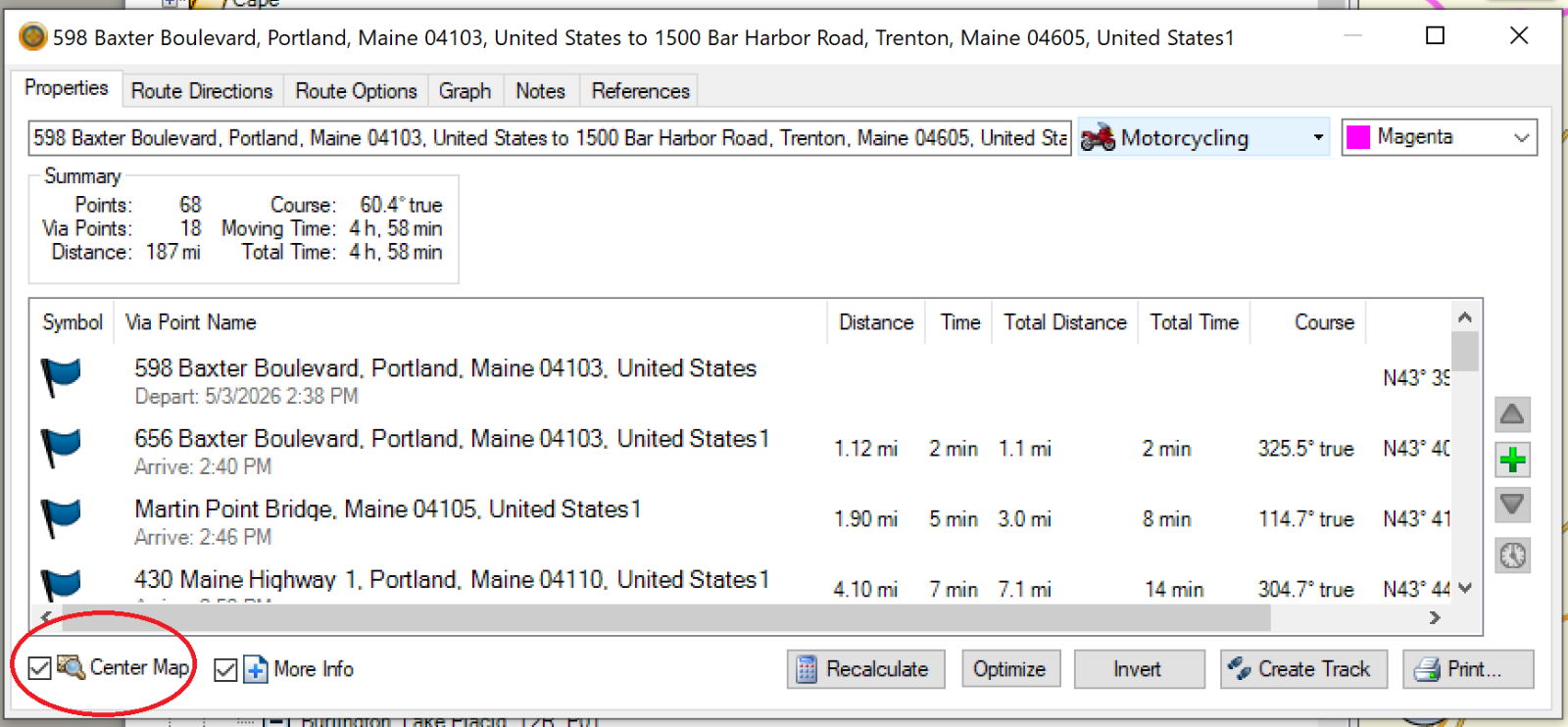
- BC_CenterMap.png (356.12 KiB) Viewed 262 times
I typically check "Center Map" then step through the route points one at a time to be sure my route points are on the desired roads.
I also uncheck it and zoom out to see my entire route, then step through the route points to view the overall route.
I don't think there is any way to center without zooming.
Re: Screen zoom
Posted: Sun May 03, 2026 7:08 pm
by Peobody
smfollen wrote: Sun May 03, 2026 6:47 pm
I don't think there is any way to center without zooming.
I don't know of one. I know of two other ways to center a waypoint but both of them zoom the same way as the "Center on map" option does. Those two ways are:
1. Right-click > Show on map
2. Left-click to select > Ctlr+D
Both work from the list of waypoints in the lower left pane.
Re: Screen zoom
Posted: Mon May 04, 2026 9:36 am
by OldRS
smfollen wrote: Sun May 03, 2026 6:47 pm
I think it is either both zoom and center, or neither.
BC_CenterMap.png
I typically check "Center Map" then step through the route points one at a time to be sure my route points are on the desired roads.
I also uncheck it and zoom out to see my entire route, then step through the route points to view the overall route.
I don't think there is any way to center without zooming.
Perfect. Thank you. I can now follow the route by clicking down each step of the directions and observing the disc on the map. This was part of my attempt to understand the, bizzare, side loop in my other post.
Regards
Richard