Page 1 of 2
Round trip recalculated
Posted: Wed Jul 30, 2025 7:25 am
by klirtom
Hi, I really love the idea of round trip but it is unusable for me. When I do not follow the route exactly (I miss a turn or there is a road construction) then the route is recalculated and it navigates me straight back. Discarding the round trip.
Does anyone know how to make XT2 to preserve the trip and navigate me back to it?
Edit: I'm not talking about a situation when I create my own round trip. It is about
Round Trip app available on XT2 (not sure if it's also on XT) where you specify distance, duration, destination and it will create a round trip for you.
Re: Round trip recalculated
Posted: Wed Jul 30, 2025 9:05 am
by jfheath
Hi @klirtom - welcome to the forums
The only thing that I can suggest is that you untick Off Route Calculation (Settings->Navigation)
And turn off Traffic information - Settings->Navigation->Traffic->Untick the Traffic app
Whether or not the last one prevents the road closures coming into the XT2 - I am not sure. You could try turning off BT on your phone. That would stop any external data getting in.
It's not a feature that I have used for real - only to look at - and I am unimpressed with the roads that it takes. Main roads, not very scenic, through town centres. Someone else will chime in now that we can see your post.
Re: Round trip recalculated
Posted: Wed Jul 30, 2025 5:11 pm
by klirtom
Thanks for the tip. I tried it today and it makes no difference. At first I turned the recalculation off and it discarded the round trip when I got off route. Then I set it to Prompted... I wonder if they test anything before they release it because I have no words for what happened. Garmin discarded the round trip and then it asked me if I want to recalculate. Of course my selection had no effect as the round trip was already gone.

Re: Round trip recalculated
Posted: Wed Jul 30, 2025 6:59 pm
by danham
I have an XT, not XT2, but over the years and many Garmin GPSes, I have learned that they hate routes which have the same start and end points. It causes lots of problems, among them the issue you mention of taking you back to the beginning.
So a workaround is to always make sure that your route ends somewhere other than right at its start. For other reasons (see RUT), I always plan my routes to have their start at least a few hundred yards away from where I park my bike. That takes care of the round trip problem for me.
-dan
Re: Round trip recalculated
Posted: Thu Jul 31, 2025 1:46 pm
by smfollen
I have had similar experience with round trip or loop routes I built myself (not using the round trip feature) after I drifted off the original route. I think, to get you back on route, the off route recalculation algorithm tries to take you to the closest point on the route (probably like the Closest Entry Point feature). If the closest point happens to be on the return part of the route, you miss part of the ride.
A solution is to break the route into two parts - one out and one back. If I remember correctly, I learned this tip from a @jfheath post long ago.
Re: Round trip recalculated
Posted: Thu Jul 31, 2025 4:48 pm
by klirtom
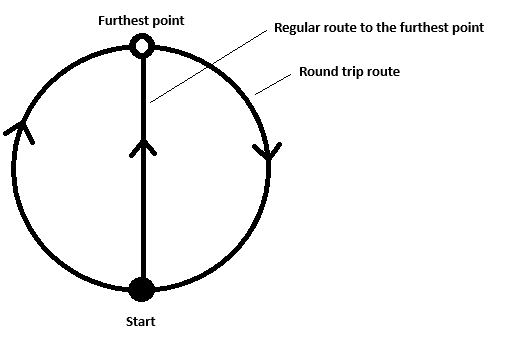
Well, adding a stop or shaping point does not help as the route gets recalculated. Round trips are a sort of "circles". When I add a point into the middle, it recalculates the "circle" route and finds a better route - straight to the new point and then straight back. Not in a "circle".
Re: Round trip recalculated
Posted: Thu Jul 31, 2025 5:26 pm
by smfollen
Right. What I suggest is not to add a point but to split the route, at the furthest point, into two separate routes. Then select the "out" route and navigate to the furthest point. Once there, select the "back" route and navigate that one. If you go off route, you will be guided back to the route you are on at the time - assuming off-route recalculation is set to auto.
Re: Round trip recalculated
Posted: Thu Jul 31, 2025 7:10 pm
by klirtom
I thing you do not understand how the round trip feature works. Maybe this drawing will make the difference between round trip and your approach clear.
- Round trip.png (10.65 KiB) Viewed 328 times
Re: Round trip recalculated
Posted: Thu Jul 31, 2025 9:22 pm
by smfollen
Starting with a route that forms a loop
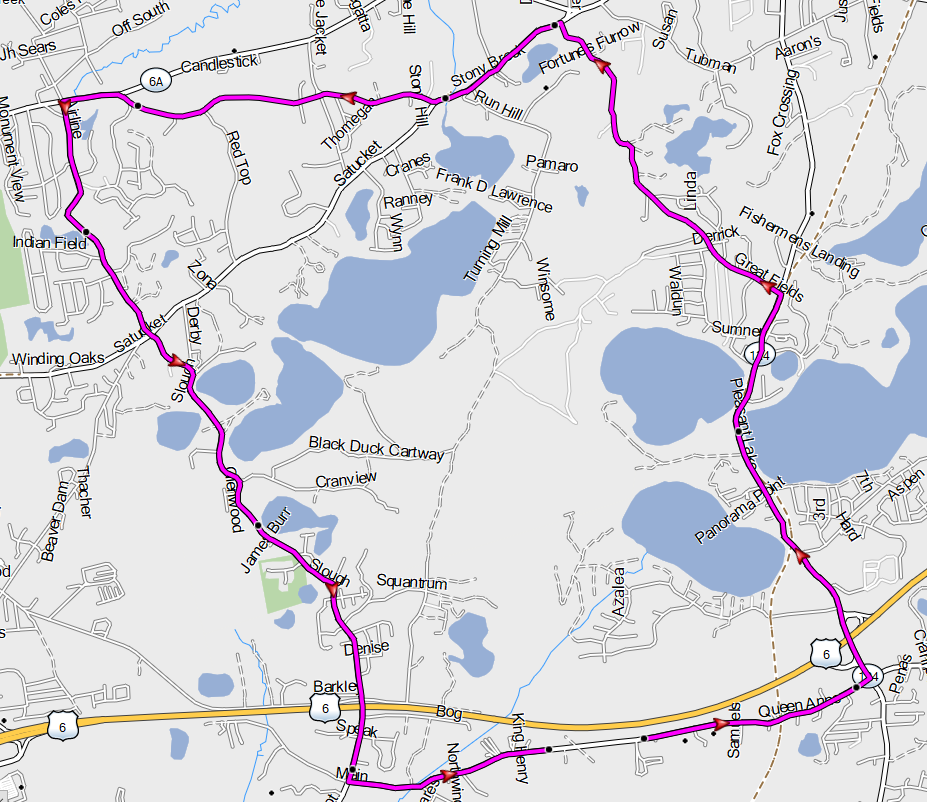
- LoopRoute.png (465.81 KiB) Viewed 323 times
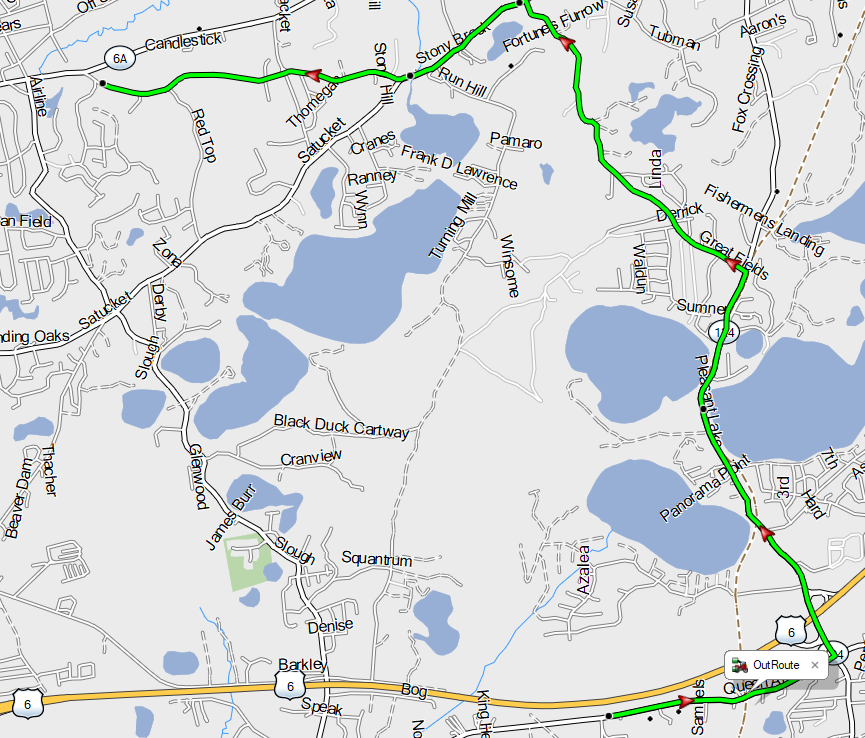
Before going anywhere, split the route into to separate routes, the first route going out, from start to furthest point
- OutRoute.png (392.29 KiB) Viewed 323 times
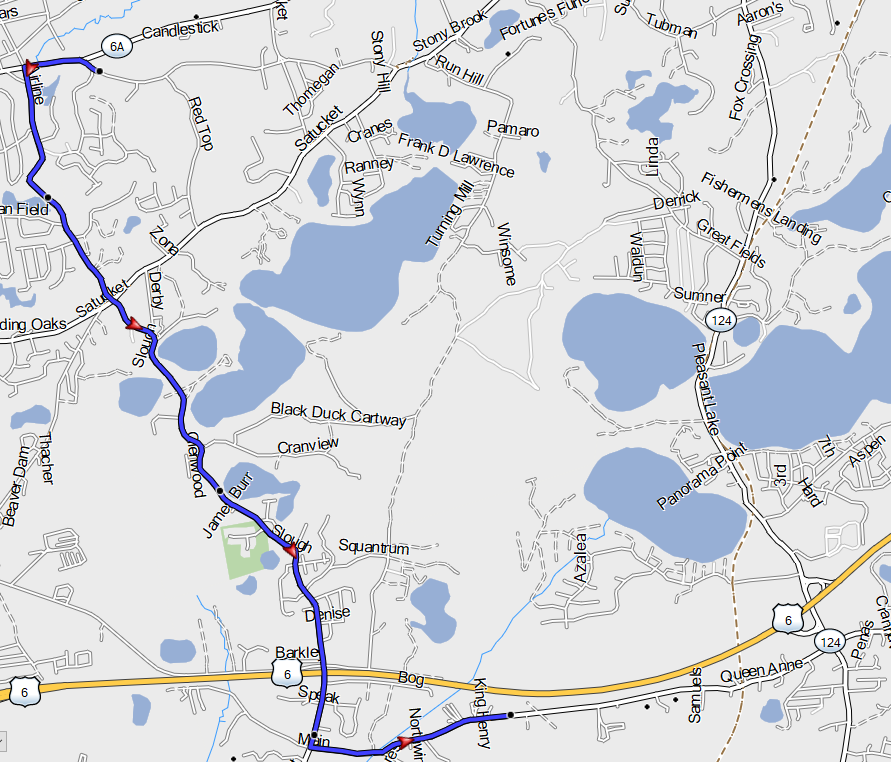
and the second route coming back from furthest point to start.
- BackRoute.png (411.04 KiB) Viewed 323 times
Select the out route and tap Go. You will, of course, be riding the out route. If you go off route and recalculate, the XT2 will guide you to a point on the out route which you are currently navigating.
It will not guide you to any point on the back route because you have not selected that route.
After reaching the end of the out route - that is the "furthest point" - then select the back route and tap go.
Re: Round trip recalculated
Posted: Thu Jul 31, 2025 10:37 pm
by jfheath
@klirtom - are you creating your round trip on the XT2 screen - or is it something imported from elsewhere ?