Here's my complaint to Garmin about this issue.
For all other users, please send a similiar complaint or either copy mine.
The more complaints the better.
-----------------------------------------------------------------------------------------------------------------
Hello.
I have a complaint about an ongoing issue since the launch of this device back in April/May of 2023.
When sending premade GPX files trough the Garmin Tread app, It will drastically change or corrupt GPX files.
Specifically shaping points.
Tread's cloud sync service appears to force it's "faster road" algorithm upon synced GPX's, overruling any shaping points made by the user.
Garmin Zumo XT2 6.40
Garmin Tread 2.12.45 Android
Serial: xxx
please see examples below
Example 1
GPX v1.1 (route, track POI) "broekie Bochtjes.gpx
note: built on HERE map using MyRouteApp, checked with basecamp
Collection: Test Garmin 1
Route on MyRoutePlanner:
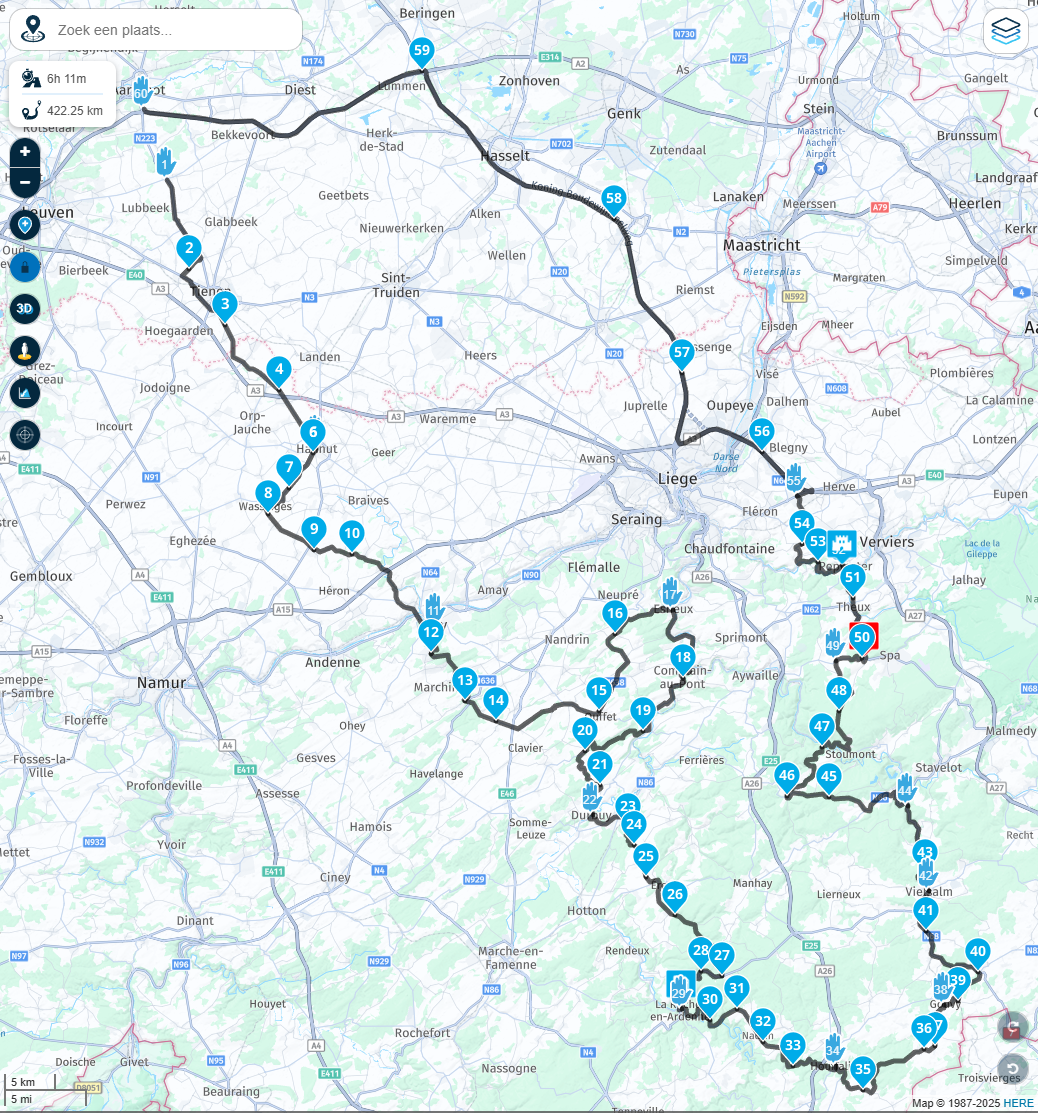
- Screenshot 2025-12-31 152600.png (1.79 MiB) Viewed 404 times
Track imported trough USB/SD,
tread sync disabled:
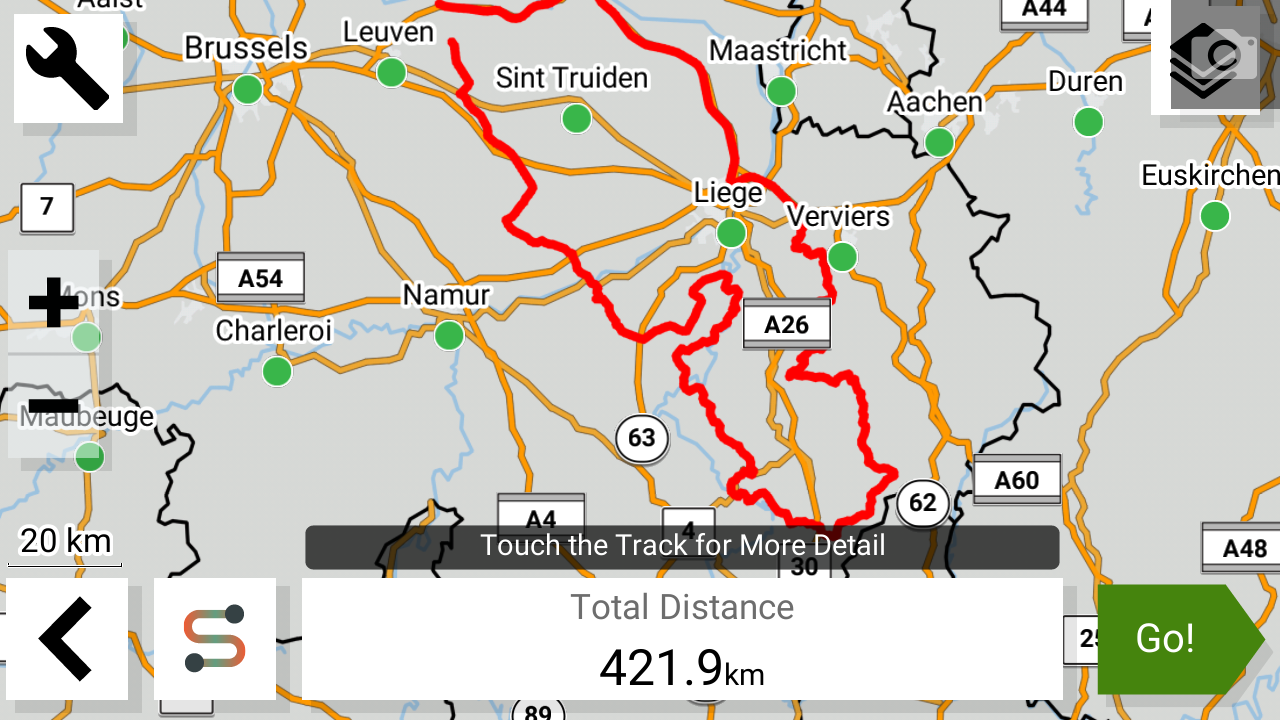
- 3333.png (648.45 KiB) Viewed 404 times
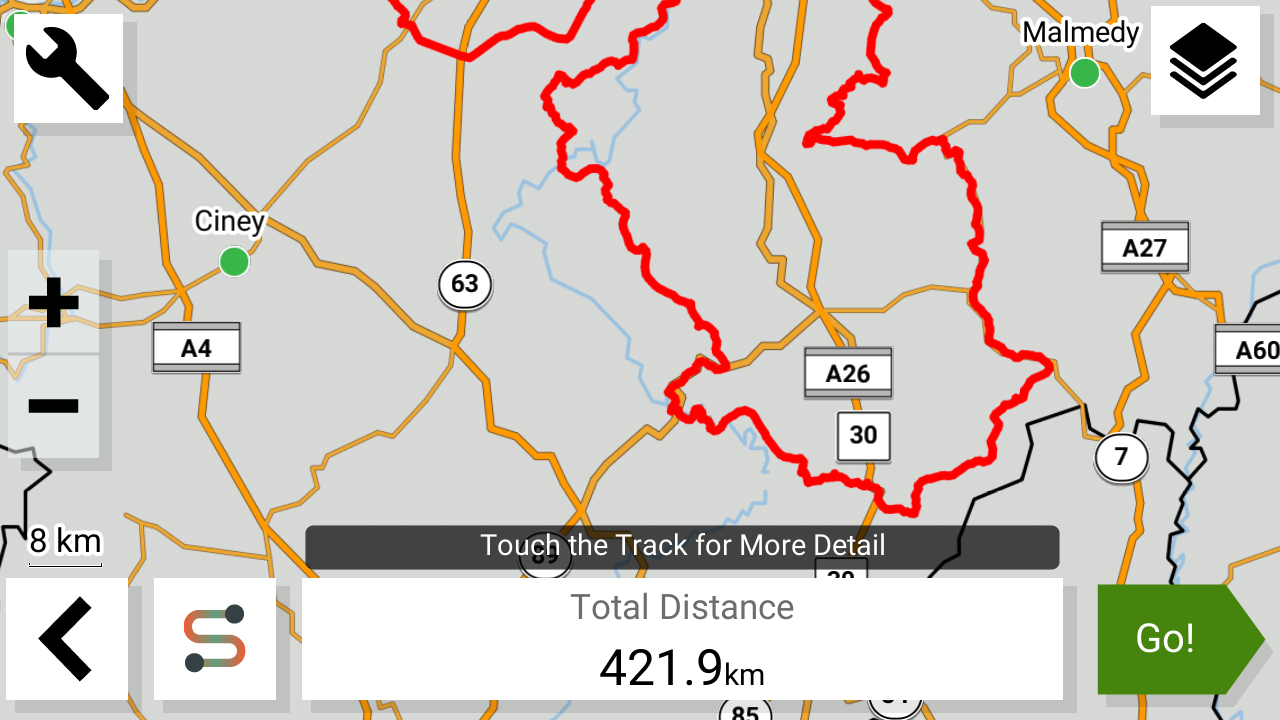
- 4031.png (494.63 KiB) Viewed 404 times
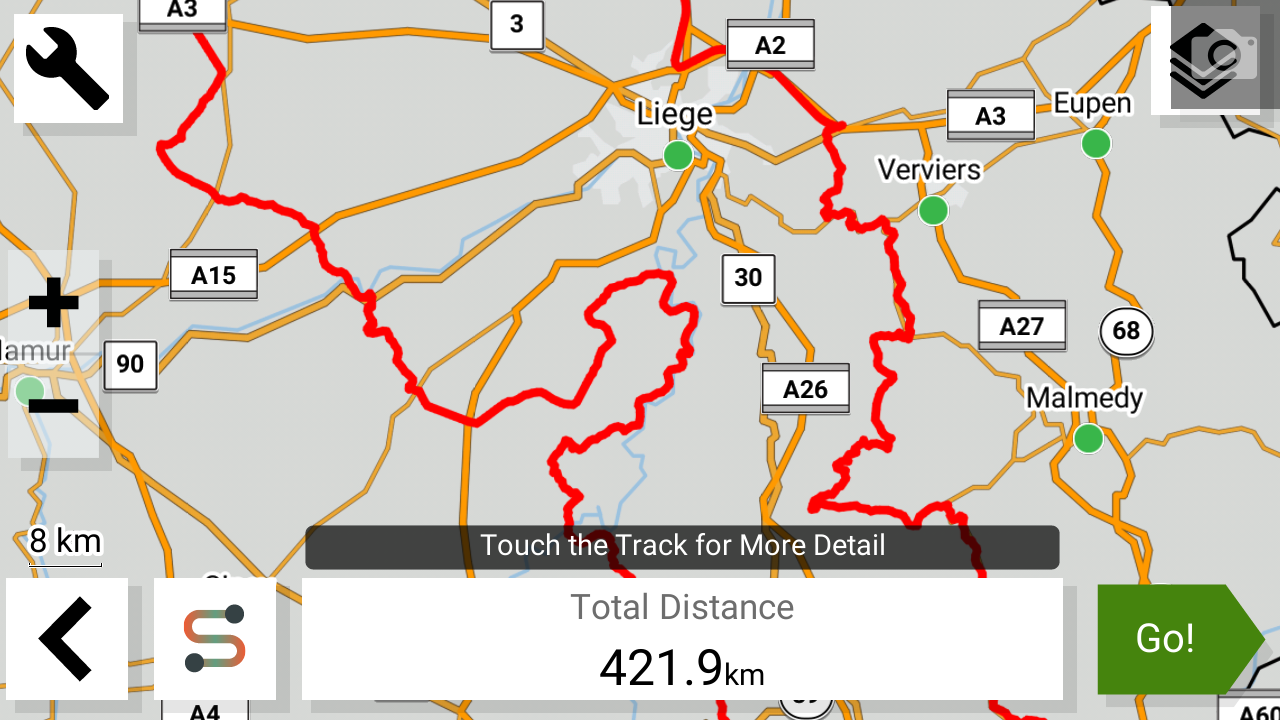
- 4448.png (539.09 KiB) Viewed 404 times
Route imported trough USB/SD,
tread sync disabled:
Route imports with 99% match to the original GPX.
Minor differences such as road closures and XT2's algorithm.
Shaping and Via points succesfully imported, acceptable result
- 5553.png (896.29 KiB) Viewed 404 times
- 9075.png (771.51 KiB) Viewed 404 times

- 9440.png (775.4 KiB) Viewed 404 times
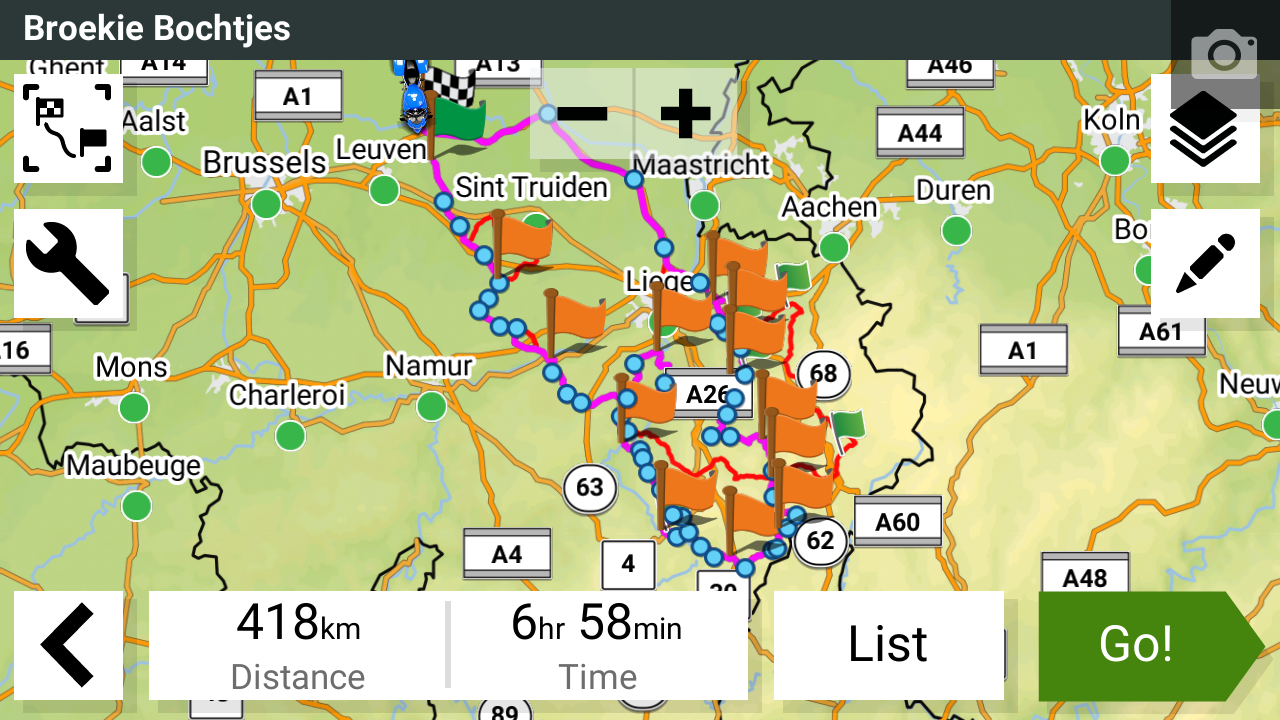
Route imported trough Garmin Tread synced:
Route corrupted.
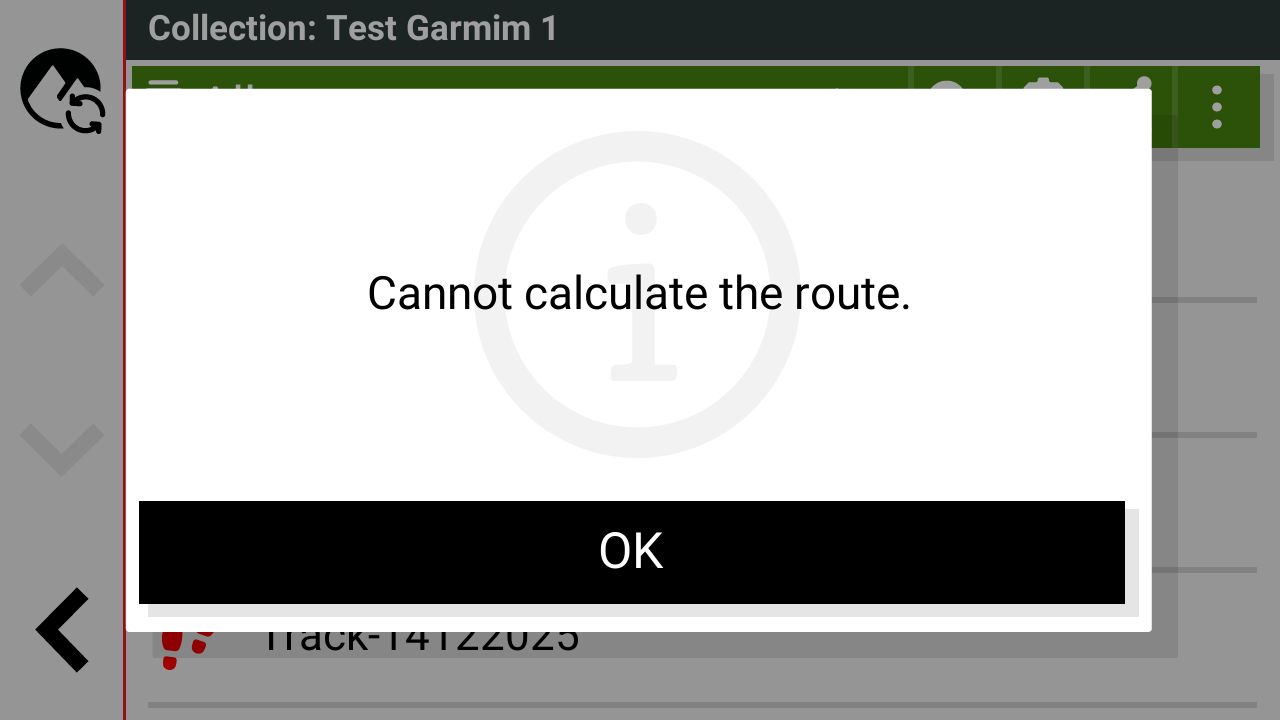
- 64292.png (61.39 KiB) Viewed 404 times
Route will either corrupt or severely change post sync.
Example 2
GPX v1.1 (route, track POI) "14122025.gpx
note: built on HERE map using MyRouteApp, checked with basecamp
Collection: Test Garmin 2
Route on MyRoutePlanner:
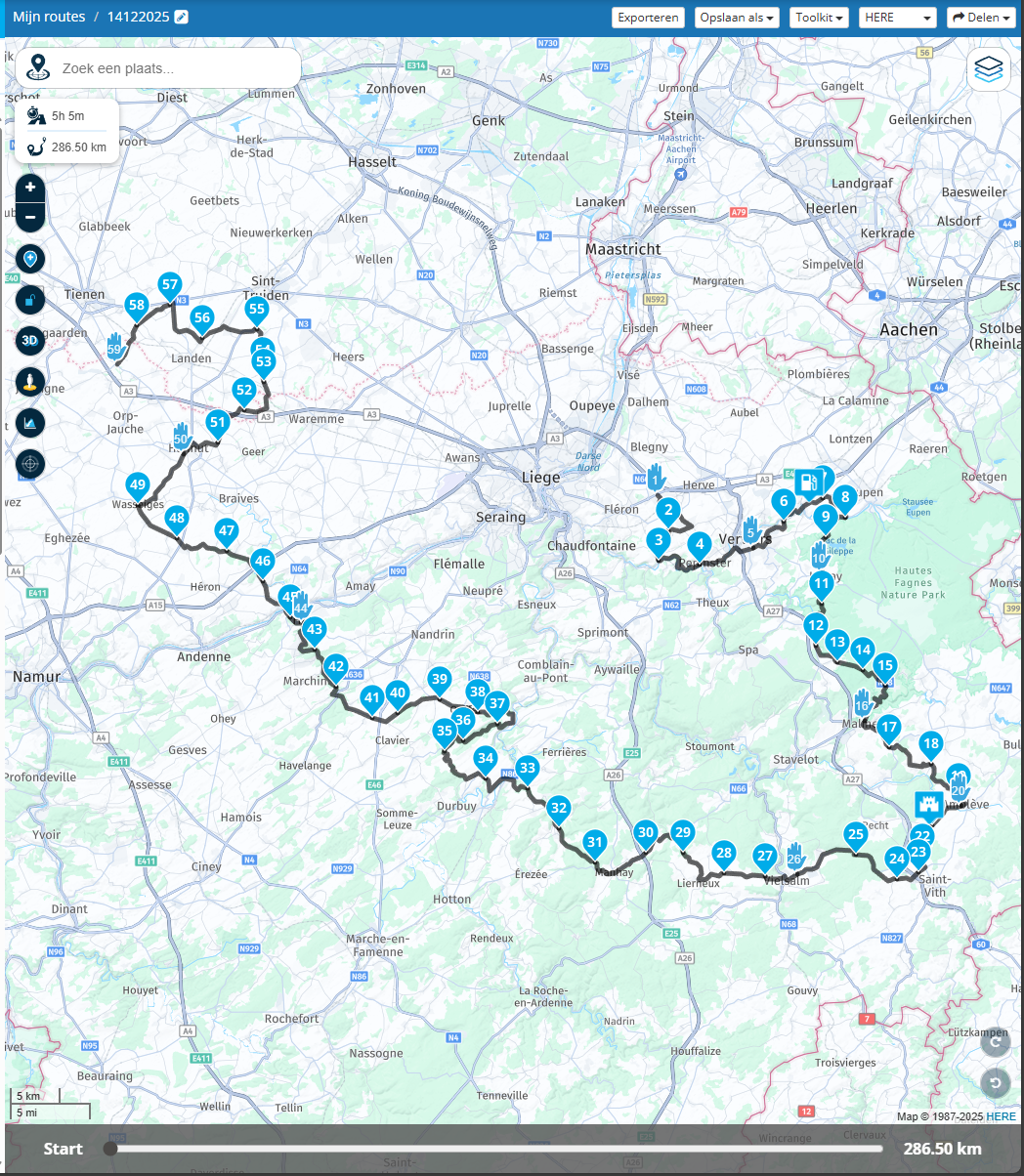
- Screenshot 2025-12-31 141826.png (1.88 MiB) Viewed 404 times
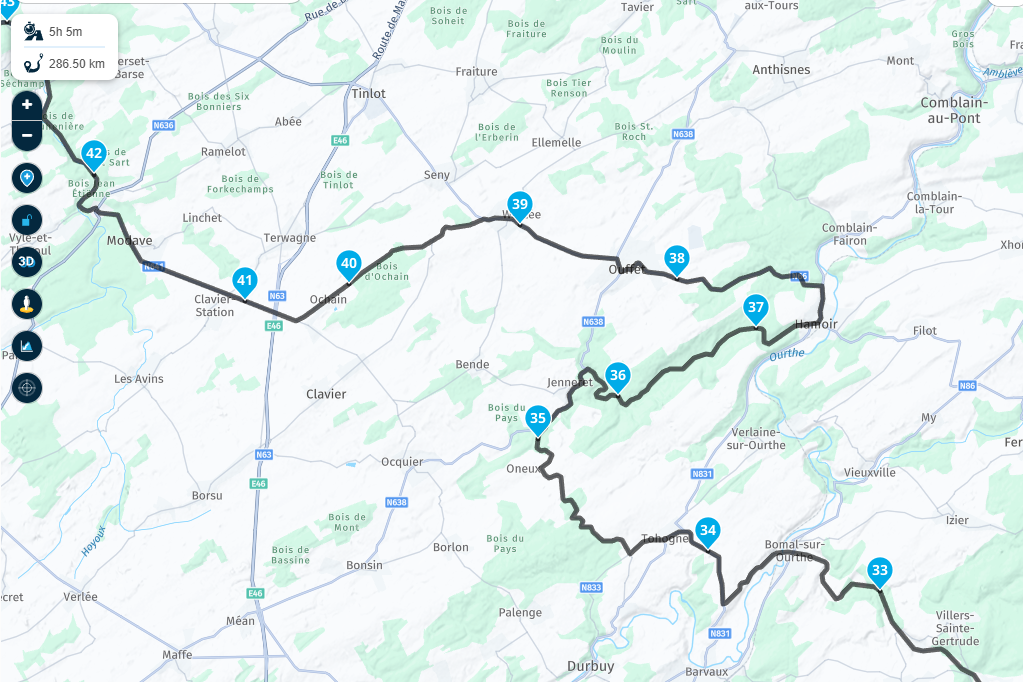
- Screenshot 2025-12-31 141915.png (846.96 KiB) Viewed 404 times
Track imported trough USB/SD,
tread sync disabled:
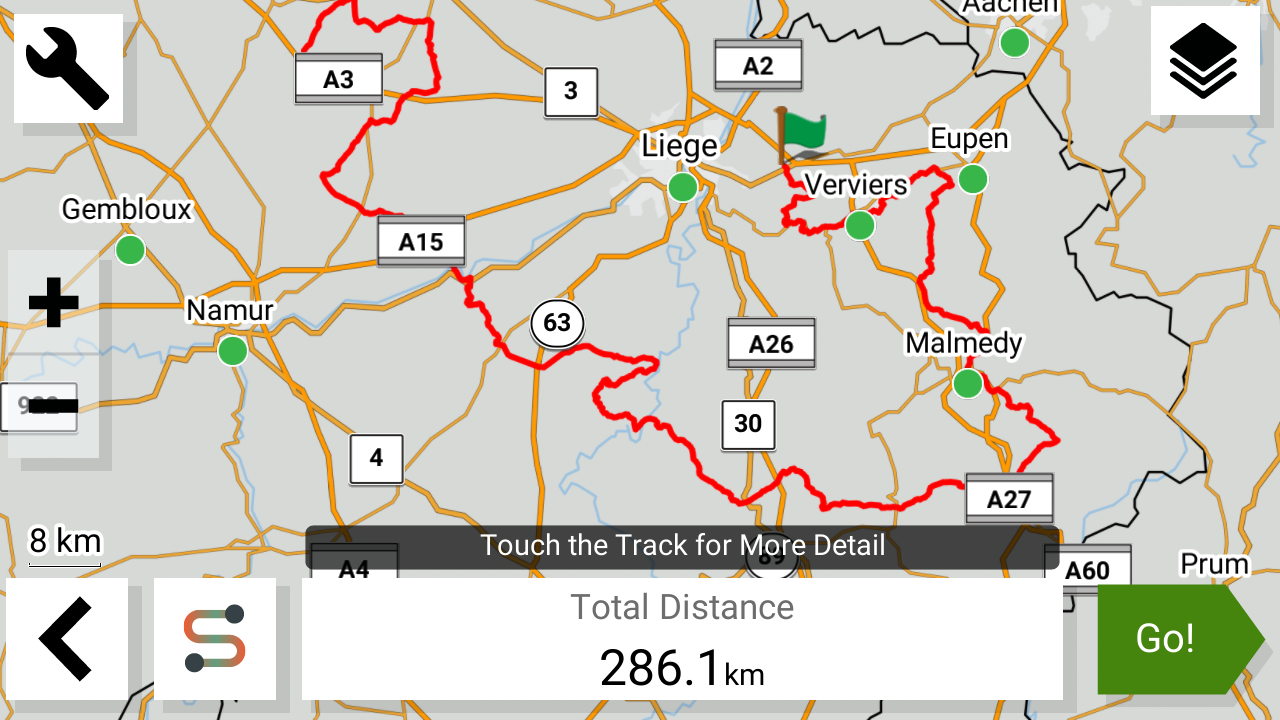
- 11043.png (575.49 KiB) Viewed 404 times
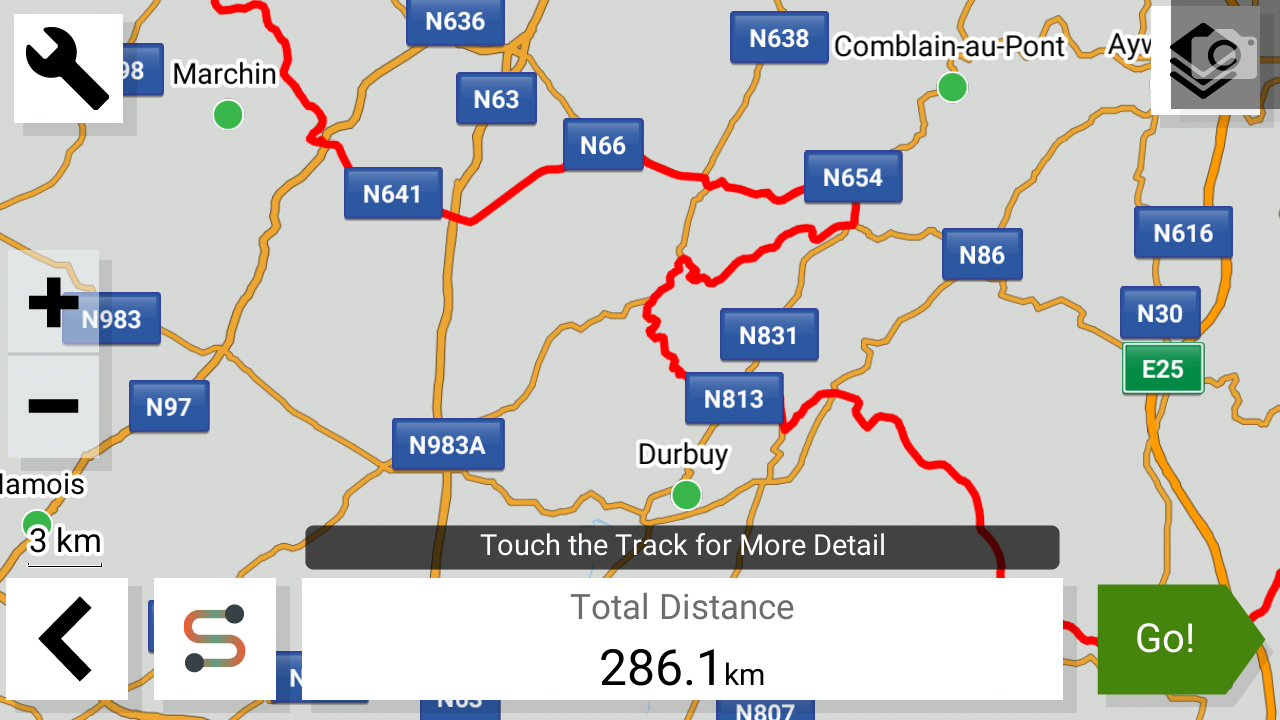
- 15444.png (414.97 KiB) Viewed 404 times
Route imported trough USB/SD,
tread sync disabled:
Route imports with 99% match to the original GPX.
Minor differences such as road closures and XT2's algorithm.
Shaping and Via points succesfully imported, acceptable result
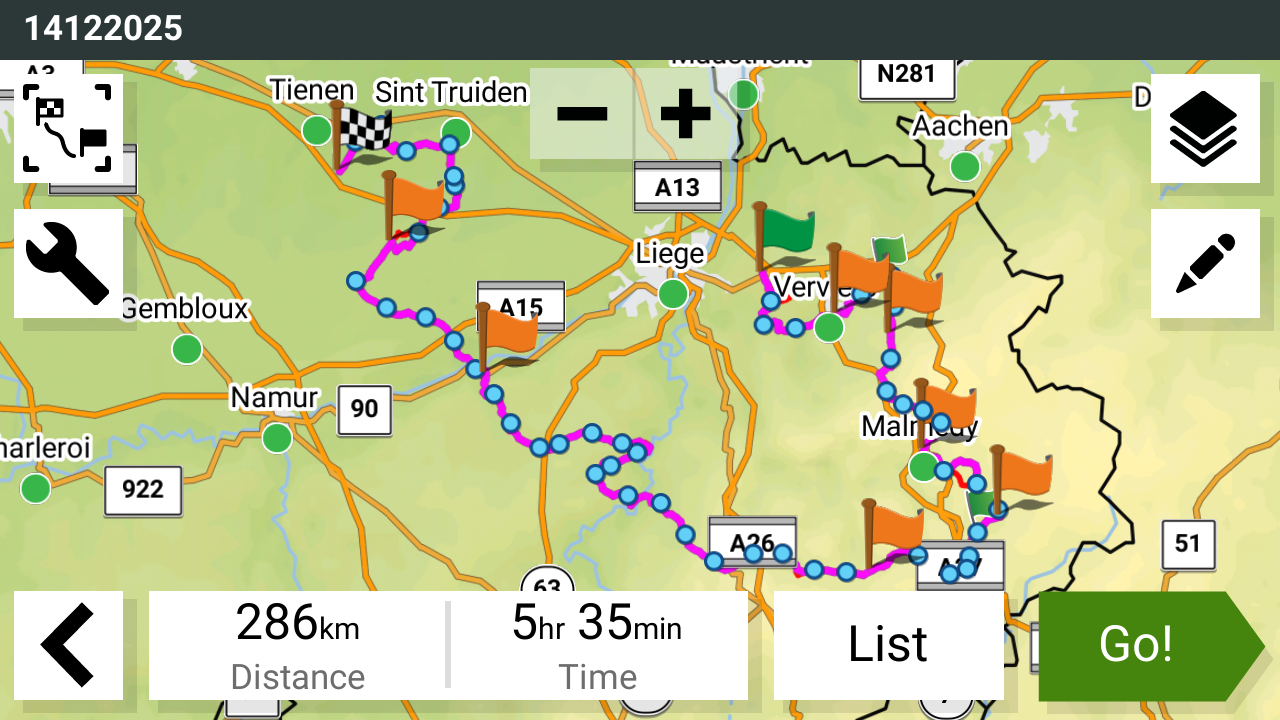
- 12909.png (857.7 KiB) Viewed 404 times
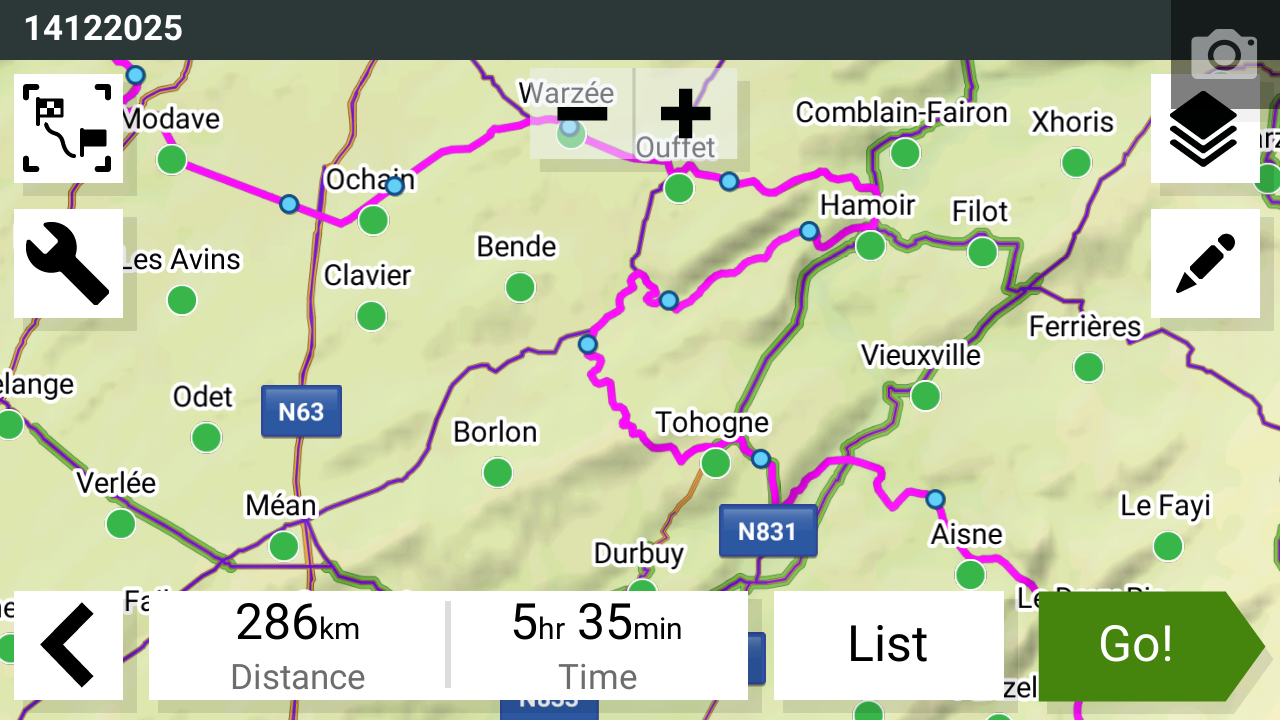
- 14074.png (784.86 KiB) Viewed 404 times
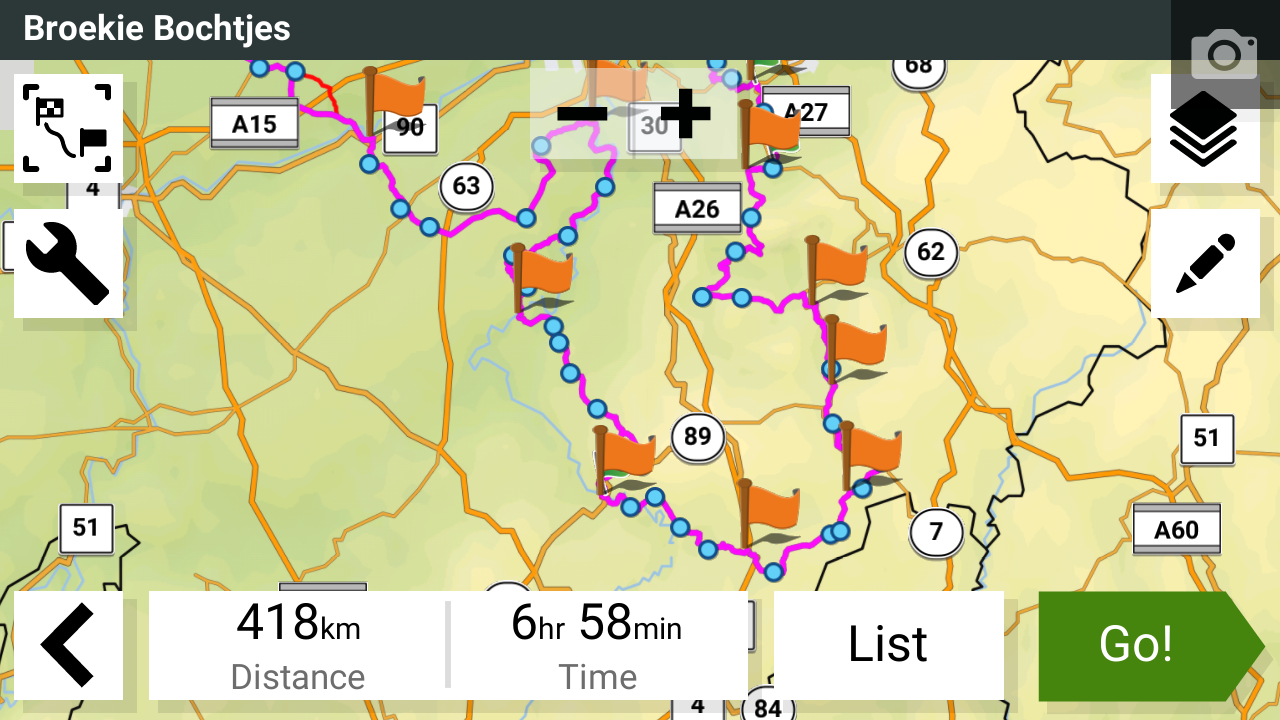
Route imported trough Garmin Tread synced:
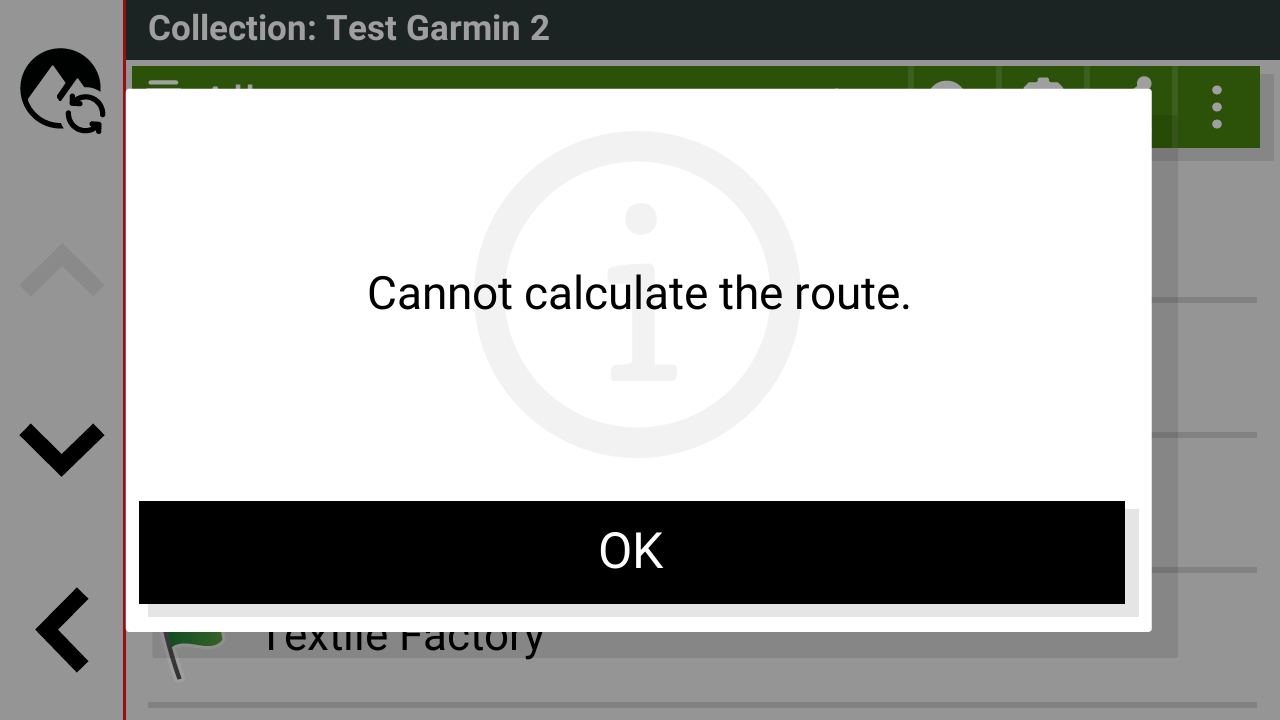
- 68540.png (63.37 KiB) Viewed 404 times
Route will either corrupt or severely change post sync.
Picture of behavior when route is not corrupted, but severely changed by Tread sync's algorithm:

------------------------------------------------------------------------
As you can see,
the issue lays within Garmin's Cloud sync, destroying users GPX files.
This issue is easily reproduced by importing premade GPX files trough the Garmin Tread app (Bluetooth).
Imported GPX files loaded trough SD or USB work perfectly, until Tread Sync is enabled.
Then those same GPX files get uploaded to the cloud, and destroyed in the process.
The only way to use premade routes is by disabling Tread sync.
This prevents the user from importing routes wirelessly to their Zumo XT2.
Which for a navigation device built in 2023 is simply unacceptable and archaic.
We know for a fact that this issue has been reported quite extensively towards Garmin Support since launch.
Multiple tickets have been made for this issue since the Zumo XT2's launch. A lot of them have been very extensive.
After 3 years, there is still no fix.
We (a large number of XT2 users on the forums, Facebook groups) feel betrayed by Garmin's lack of care for their customer base regarding this issue.
-What is the update on this bug, is there a plan for fixing it?
-Is there a lack of talent to fix this issue? Surely it can't take 3+ years for Garmin to fix this bug.
Suggestion 1: Make ability to import GPX route over Bluetooth without Tread sync being enabled. (preferred solution, similar to Garmin Drive)
Suggestion 2: give user the ability to disable Garmin Sync's algorithm override on users GPX's.
Thank you.
-----------------------------------------------------------------------------------------------------------------