BC weirdness
BC weirdness
Afternoon Experts.
I'm frequently perplexed as to why BC (always set to "fastest" route criterion) will, when set to "Motorcycle" routing, send me off a fast main road onto what is usually some frightful minor road, albeit subject to the same speed limit as the road I have been diverted from, only to rejoin it a few miles further on but won't do the same when set to "Car" routing. Alse, if I ignore the diversion the journey time drops.
I've just created a route for a rally and the most horrendous deviation has been calculated by the default motorcycle routing.
Can anyone explain this, please?
TIA
Richard
I'm frequently perplexed as to why BC (always set to "fastest" route criterion) will, when set to "Motorcycle" routing, send me off a fast main road onto what is usually some frightful minor road, albeit subject to the same speed limit as the road I have been diverted from, only to rejoin it a few miles further on but won't do the same when set to "Car" routing. Alse, if I ignore the diversion the journey time drops.
I've just created a route for a rally and the most horrendous deviation has been calculated by the default motorcycle routing.
Can anyone explain this, please?
TIA
Richard
Owner of a, greatly treasured, Zumo 550 and, deeply loathed, Zumo 595.
-
smfollen
- Subscriber
- Posts: 276
- Joined: Wed Jan 10, 2024 8:31 pm
- Location: Boston Area
- Has liked: 137 times
- Been liked: 127 times
- Contact:

Re: BC weirdness
I have, rarely, seen BC do strange things like what your motorcycle route shows, but I have no idea why it happens. I never tried switching to car but I'll try it next time I see the strange behavior, if I remember.
- Peobody
- Subscriber
- Posts: 2121
- Joined: Tue Apr 20, 2021 1:33 pm
- Location: North Carolina USA
- Has liked: 194 times
- Been liked: 559 times

Re: BC weirdness
I would love to make an attempt at analyzing it but would need the route details so as to see the order the route points are in. That said, I might not be able to as I'm in the U.S. with only U.S. maps.
That has not been my experience at all. In fact, mine is just the opposite. I prefer riding secondary roads but trying to route along one that runs parallel to a primary road is challenging because of Basecamp's propensity to route over the faster road. It will add time and distance simply to route along the primary road for a short distance.OldRS wrote: Sun May 03, 2026 4:47 pm when set to "Motorcycle" routing, send me off a fast main road onto what is usually some frightful minor road, albeit subject to the same speed limit as the road I have been diverted from, only to rejoin it a few miles further
2008 Honda GL1800 Goldwing
zūmo XT linked to Cardo Packtalk Bold and iPhone SE.
Re: BC weirdness
It seems that "don't allow U turns" was being interpreted by car routing and motorcycle routing in different ways. BC thought that bikes cannot negotiate some, hairpin, junctions but cars can - as shown in the screen grab.
Turning "Centre map" off, as suggested in a reply to my other post, helped in finding this quirk.
Cheers
Richard
Turning "Centre map" off, as suggested in a reply to my other post, helped in finding this quirk.
Cheers
Richard
Owner of a, greatly treasured, Zumo 550 and, deeply loathed, Zumo 595.
-
Mzokk
- Posts: 106
- Joined: Tue Apr 04, 2023 8:24 pm
- Location: N. Ireland
- Has liked: 63 times
- Been liked: 35 times

Re: BC weirdness
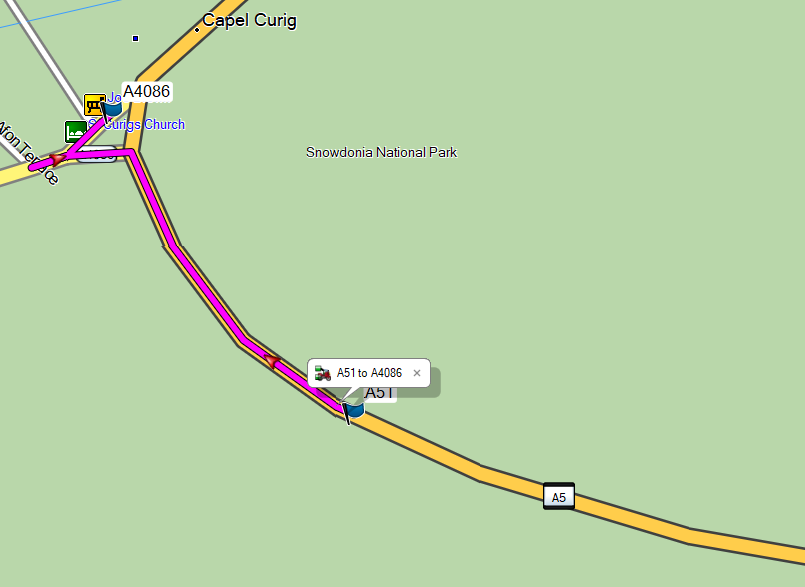
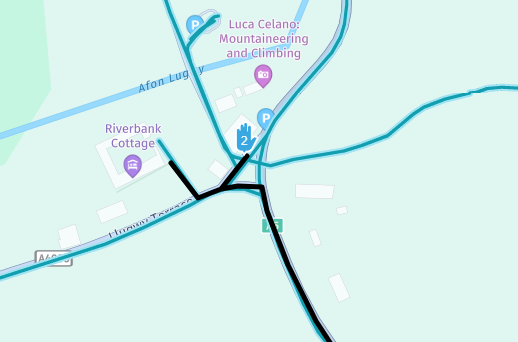
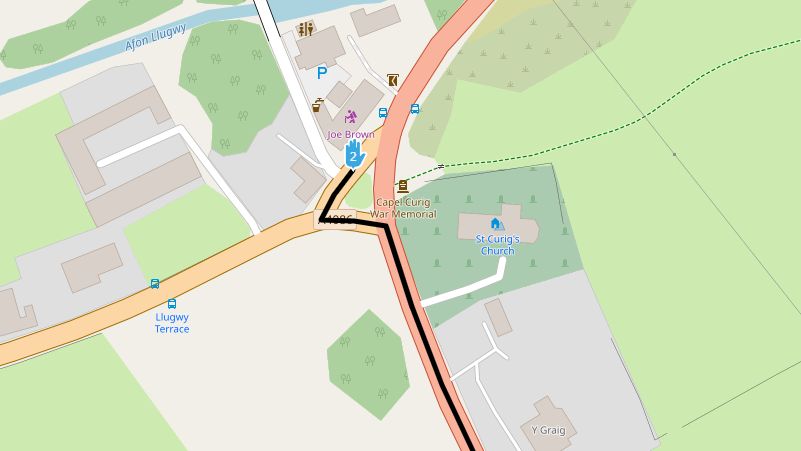
OK I've had a bit of a look at this and for the deviation at "Joe Browns" Shop this is a fault with the Here mapping used by Garmin if it is reported to HERE it should get fixed (Eventually).
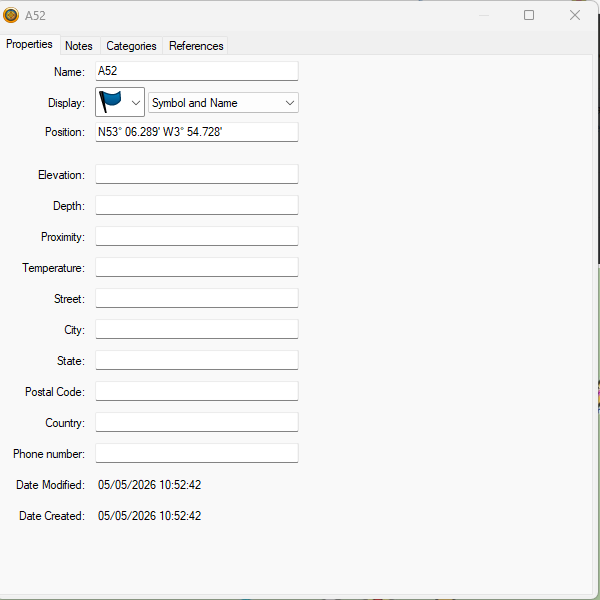
This is what it looks like on my Basecamp mapping CN Europe 2027.10 If I use HERE maps on MyRoute app route planner for the same Junction it does this. And if I use Open Street Mapping on MyRoute app it displays correctly. I'm not sure what Satnav you are using but you could get round this by leaving your last waypoint a little before the Junction at the A4086 and putting instructions to stop at the shop in the "Notes" section of the Waypoint attributes. On XT models the notes will be read to you.
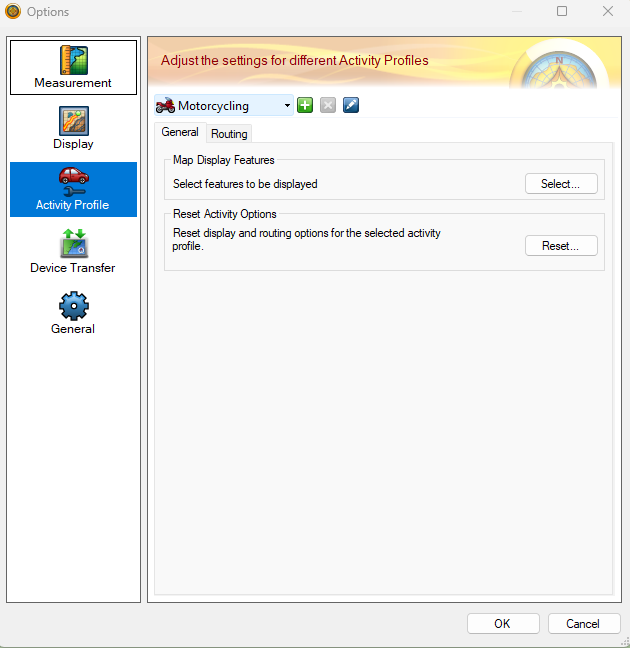
With regard to the Faster Time setting sending you down minor roads. There are two ways to fix this. The best way is to scrutinise your route and fix deviations with shaping points on the roads you want to be on. Placing a shaping point every 3-5 miles pins the route and makes it more likely that everyone will end up following the same route if you are giving the GPX files for others to use. In this case I would also give them a "Track" of the route so that they can be sure that when they calculate the route on their own devices everything will match. To semi permanently stop Basecamp routing down little tracks you can also alter the parameters it uses to calculate "Faster Time". If you go to EDIT>Options on the menu and open Activity Profile you get this.
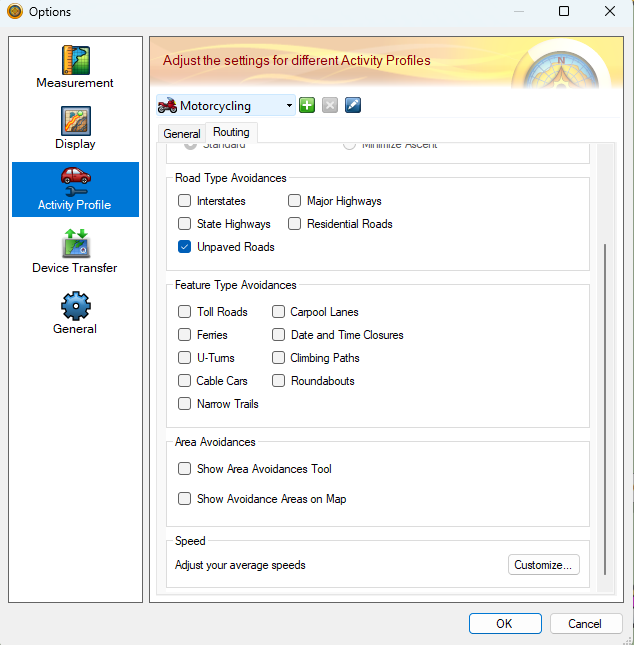
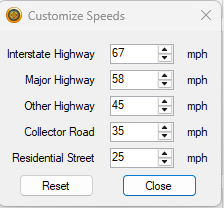
Go to Routing and scroll down to speed Customise This will open the speed dialog for roads these are the defaults If you reduce the speeds on the lesser roads it will make Basecamp less likely to use these when you plan a route.
HOWEVER.
If you are plotting a route for several people with different devices their device settings may mess this up as may yours unless it can be set to perfectly match the Basecamp settings. So as stated above
1.plot the route and use plenty of shaping points to keep the routes on the roads you want to be on
2. Only use Via points for places you want to stop
3. Give everyone the route and the track to ensure the best chance of everyone going in the same direction.
Hope that helps.
This is what it looks like on my Basecamp mapping CN Europe 2027.10 If I use HERE maps on MyRoute app route planner for the same Junction it does this. And if I use Open Street Mapping on MyRoute app it displays correctly. I'm not sure what Satnav you are using but you could get round this by leaving your last waypoint a little before the Junction at the A4086 and putting instructions to stop at the shop in the "Notes" section of the Waypoint attributes. On XT models the notes will be read to you.
With regard to the Faster Time setting sending you down minor roads. There are two ways to fix this. The best way is to scrutinise your route and fix deviations with shaping points on the roads you want to be on. Placing a shaping point every 3-5 miles pins the route and makes it more likely that everyone will end up following the same route if you are giving the GPX files for others to use. In this case I would also give them a "Track" of the route so that they can be sure that when they calculate the route on their own devices everything will match. To semi permanently stop Basecamp routing down little tracks you can also alter the parameters it uses to calculate "Faster Time". If you go to EDIT>Options on the menu and open Activity Profile you get this.
Go to Routing and scroll down to speed Customise This will open the speed dialog for roads these are the defaults If you reduce the speeds on the lesser roads it will make Basecamp less likely to use these when you plan a route.
HOWEVER.
If you are plotting a route for several people with different devices their device settings may mess this up as may yours unless it can be set to perfectly match the Basecamp settings. So as stated above
1.plot the route and use plenty of shaping points to keep the routes on the roads you want to be on
2. Only use Via points for places you want to stop
3. Give everyone the route and the track to ensure the best chance of everyone going in the same direction.
Hope that helps.
- Attachments
-
- Screenshot 2026-05-05 105437.png (60.39 KiB) Viewed 338 times
-
- Screenshot 2026-05-05 110317.png (425.28 KiB) Viewed 338 times
-
- Screenshot 2026-05-05 110501.png (85.63 KiB) Viewed 338 times
Re: BC weirdness
Thank you for your comprehensive answer. I'm using a 595.
Reducing the speeds for minor roads is a good idea. However, I tend to be very lazy in my use of the 595. Often I will create a list of waypoints and, simply, instruct it to take me to the waypoint via the fastest route. This works perfectly adequately for the scatter rallies because of where they are held - rural areas with few major roads. As far as I am aware I cannot "tweak" the speeds for road in the 595. Is that correct?
Owner of a, greatly treasured, Zumo 550 and, deeply loathed, Zumo 595.
-
Mzokk
- Posts: 106
- Joined: Tue Apr 04, 2023 8:24 pm
- Location: N. Ireland
- Has liked: 63 times
- Been liked: 35 times

Re: BC weirdness
No you can't tweak the speeds on the Zumo 595 as far as I'm aware that's hard coded into the unit. Weirdly, on my very old Streepilot 2610 circa 2004 you could tweak the priority given to major, middling and minor roads on the unit. This was a useful feature that garmin dropped. Using basecamp for scatter rallies is interesting as if you stick all the potential waypoints visit into a list it has an optimize button at the bottom of the route list that "should" produce the most efficient route between the points....but it doesn't you are generally better off eyeballing it. I do the Irish Photo Rally every year which is 27 waypoints round Ireland that you have to Photograph. Much easier now you can use GPS to find them.
Re: BC weirdness
Garmin does seem to have a, perverse, habit of dropping useful features. The 550 has the ability to start navigation when one crosses an active route. This is useful if one has a cluster of designed routes at a location. I've not seen it on any subsequent unit.
Regarding scatter rallies: this current question arose whilst planning my participation in Welsh National Rally. And you are absolutely right about creating the best route: BCs "optimised" route is rubbish whilst the one created by my MkI eyeball is much more efficient. I like the idea of taking a photograph. The WNRR used to require particpants to answer a trivial question to prove checkpoint visitation. It now uses an "app" (RallyAppLive) to record arrival at the checkpoint using GPS. This makes creating the rally much less labour-intensive for the organisers at the expense of (some) enjoyment but it could not continue in its previous form because of the manpower required to visit every checkpoint and find a suitable question.
Owner of a, greatly treasured, Zumo 550 and, deeply loathed, Zumo 595.
-
Mzokk
- Posts: 106
- Joined: Tue Apr 04, 2023 8:24 pm
- Location: N. Ireland
- Has liked: 63 times
- Been liked: 35 times

Re: BC weirdness
Still GPS is much handier than the old map only days. Good to see those roads you put up. My first tour "Across the Water" was to Wales in August 1981 at the age of 20 two up with my then girlfriend on a 250 Honda Superdream.......camping!! The exuberance of youth. Nearly got eaten alive by midges at a campsite near Barmouth.
Re: BC weirdness
GPS is good but not as fun as paper maps taped to fuel tanks! Although, sometimes that "fun" is less than enjoyable!
I'll be in Barmouth on Friday.
Owner of a, greatly treasured, Zumo 550 and, deeply loathed, Zumo 595.