


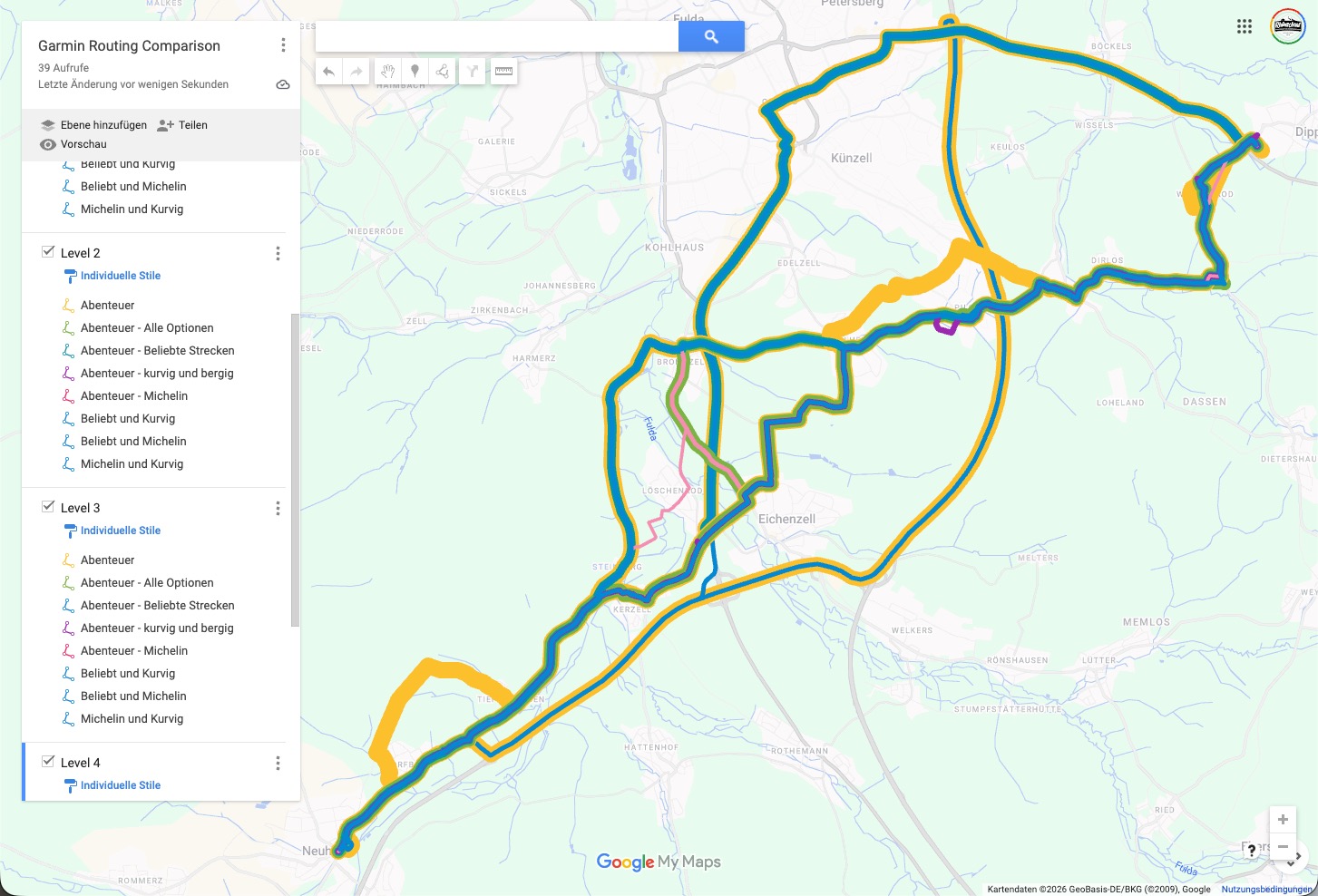
At the start of my preparation, I did a detailed comparison of how the different Adventurous Routing levels and option settings affect routing. I used a fixed test route and tried all possible combinations. Based on this comparison, I selected what I considered the closest match to the Curvy Route option in Kurviger.com, which is my preferred route planner.
I’m now in the phase of testing detour behavior, and that’s when I noticed some very odd behavior with the Adventurous Routing levels on the XT2. At first, I thought this was just a small glitch during testing, but then I realized that something seems to have changed.
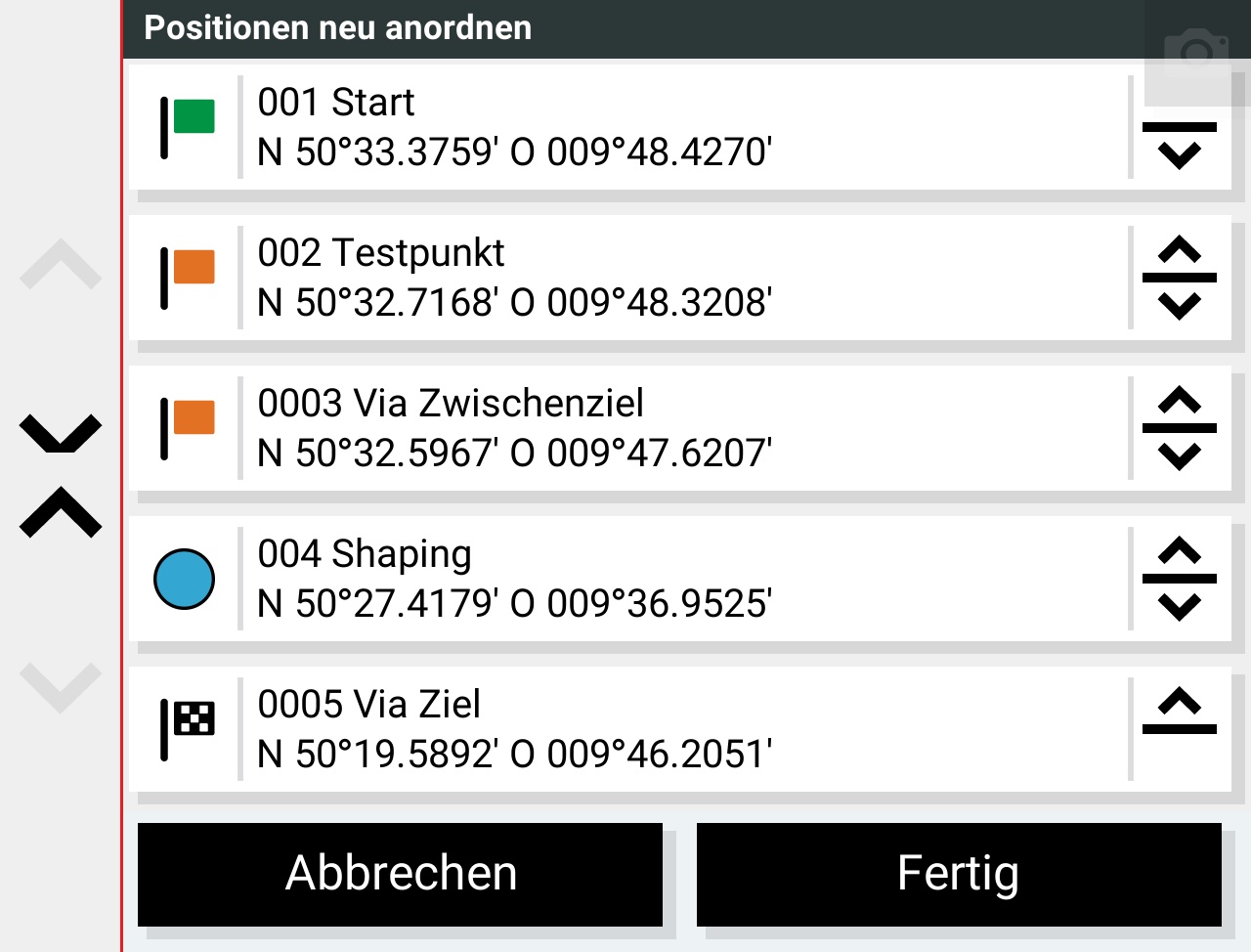
My test route consists of 5 waypoints. One of them (4) is a shaping point; the others are via points. The first two route segments use Faster Time, and the last segment (which includes the shaping point) uses Adventurous Routing.
I did not enable the global “Avoid Highways” option, because I wanted to be able to use highways on specific route segments.
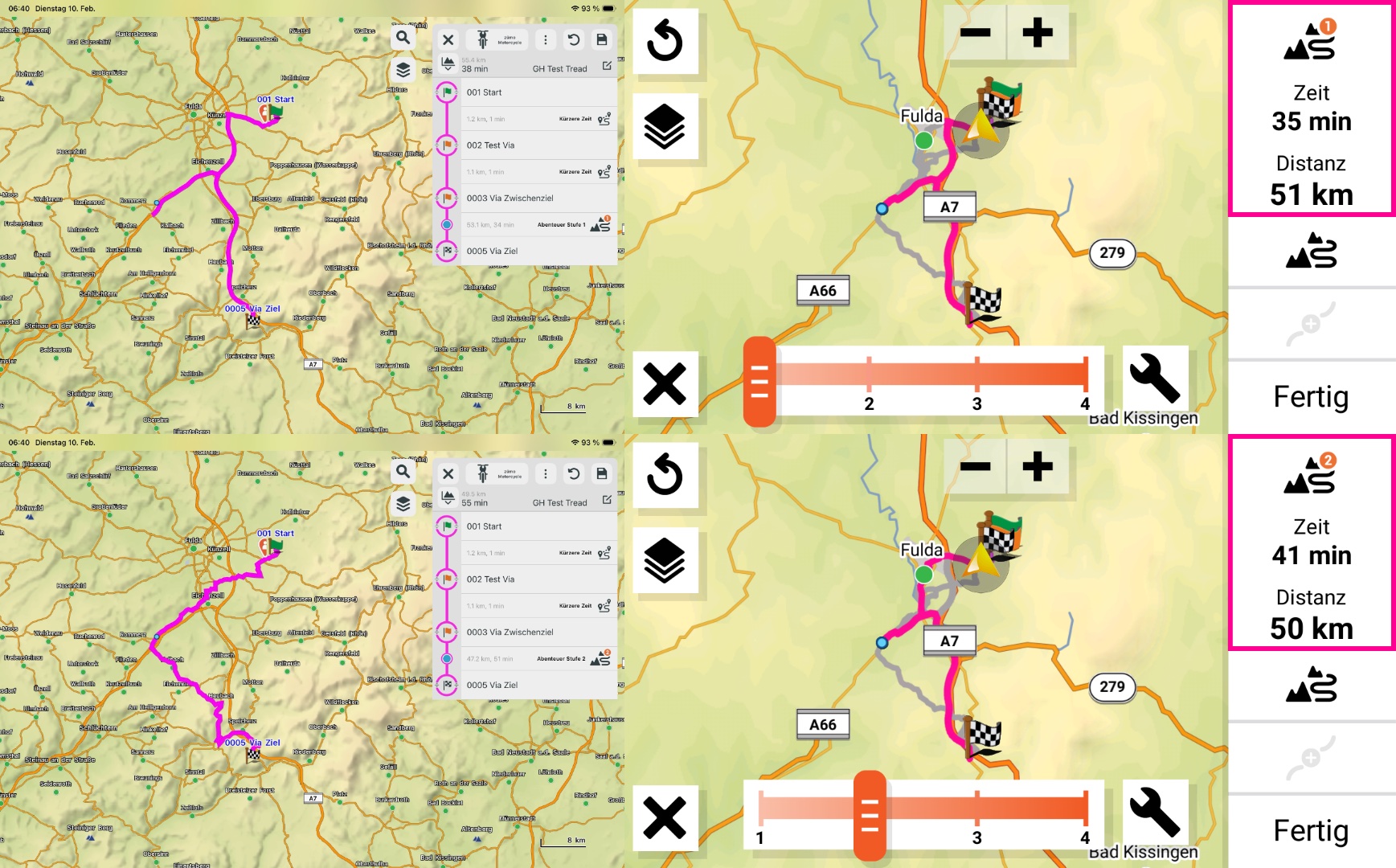
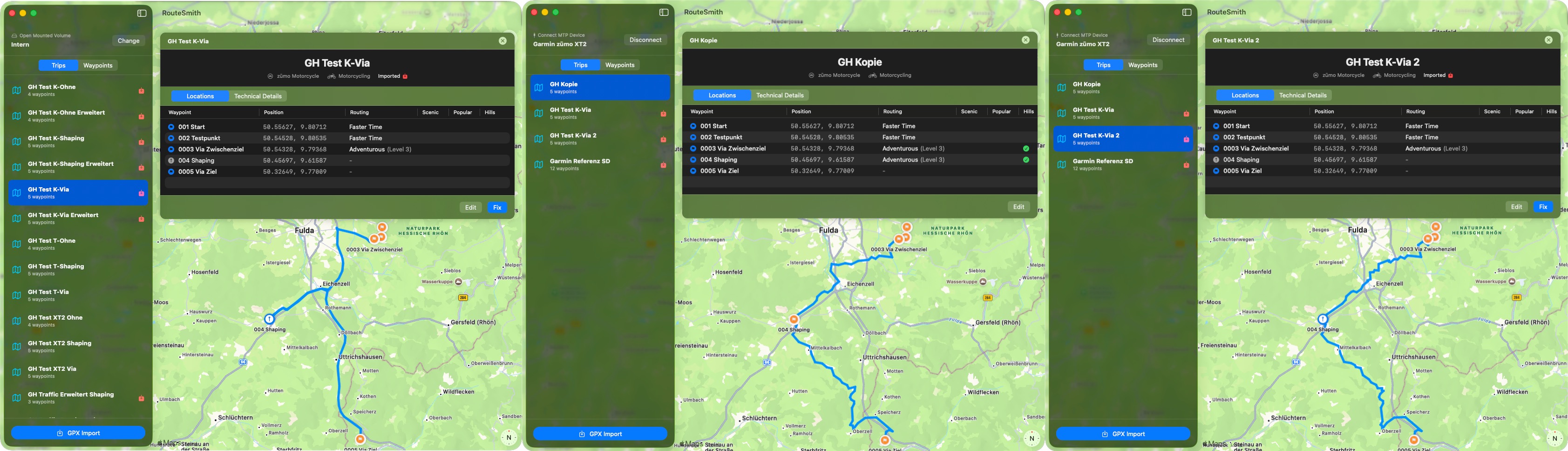
When I originally did my comparison, I observed the following behavior:
• Adventurous Level 1: Almost identical to Faster Time, using highways
• Adventurous Level 2: Already avoids highways completely
• Adventurous Level 3: Almost identical to Level 2
• Adventurous Level 4: Adds a few more curves, but mostly unnecessary ones
Since that comparison, there has been at least one major map update. Unfortunately, I don’t remember whether there was also a relevant firmware update.
For reference, I’ve added screenshots from the Tread app on my iPad, which still show the behavior I observed on my XT2 at the beginning of January.
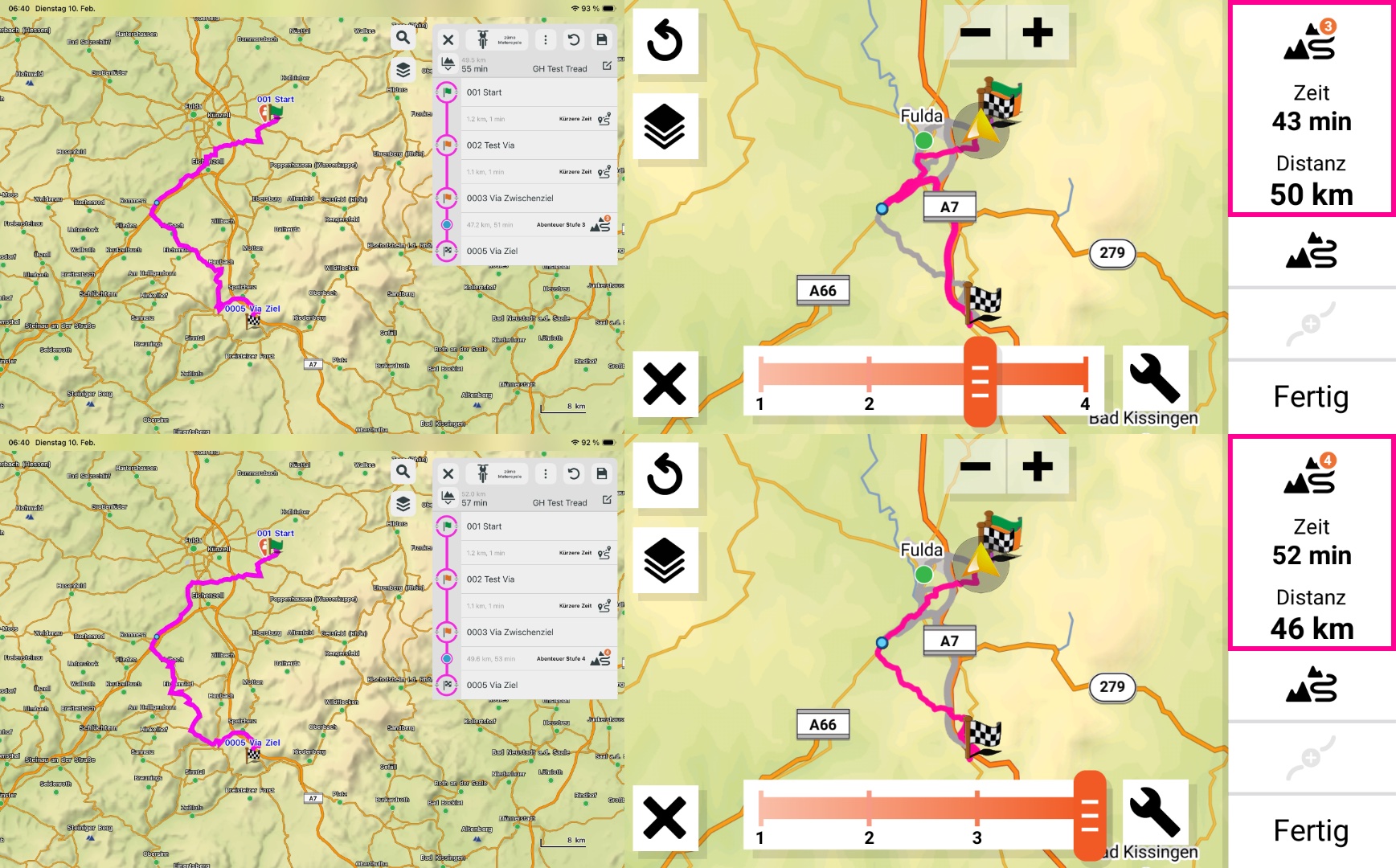
Now, however, I’m seeing the following behavior on the XT2:
• Level 1: Still the same — almost identical to Faster Time with highways.
• Level 2: Only a minimal change on the route segment from Via (3) to Shaping Point (4). This looks like Faster Time with Avoid Highways to me.
The segment from Shaping Point (4) to the destination Via (5) still uses highways.
• Level 3: The Adventurous segment now seems to apply adventurous routing — but again only from Via (3) to Shaping Point (4).
The segment from Shaping Point (4) to Via (5) still uses highways.
• Level 4: Finally, the entire segment uses adventurous routing — but it’s noticeably less twisty than Level 4 used to be.
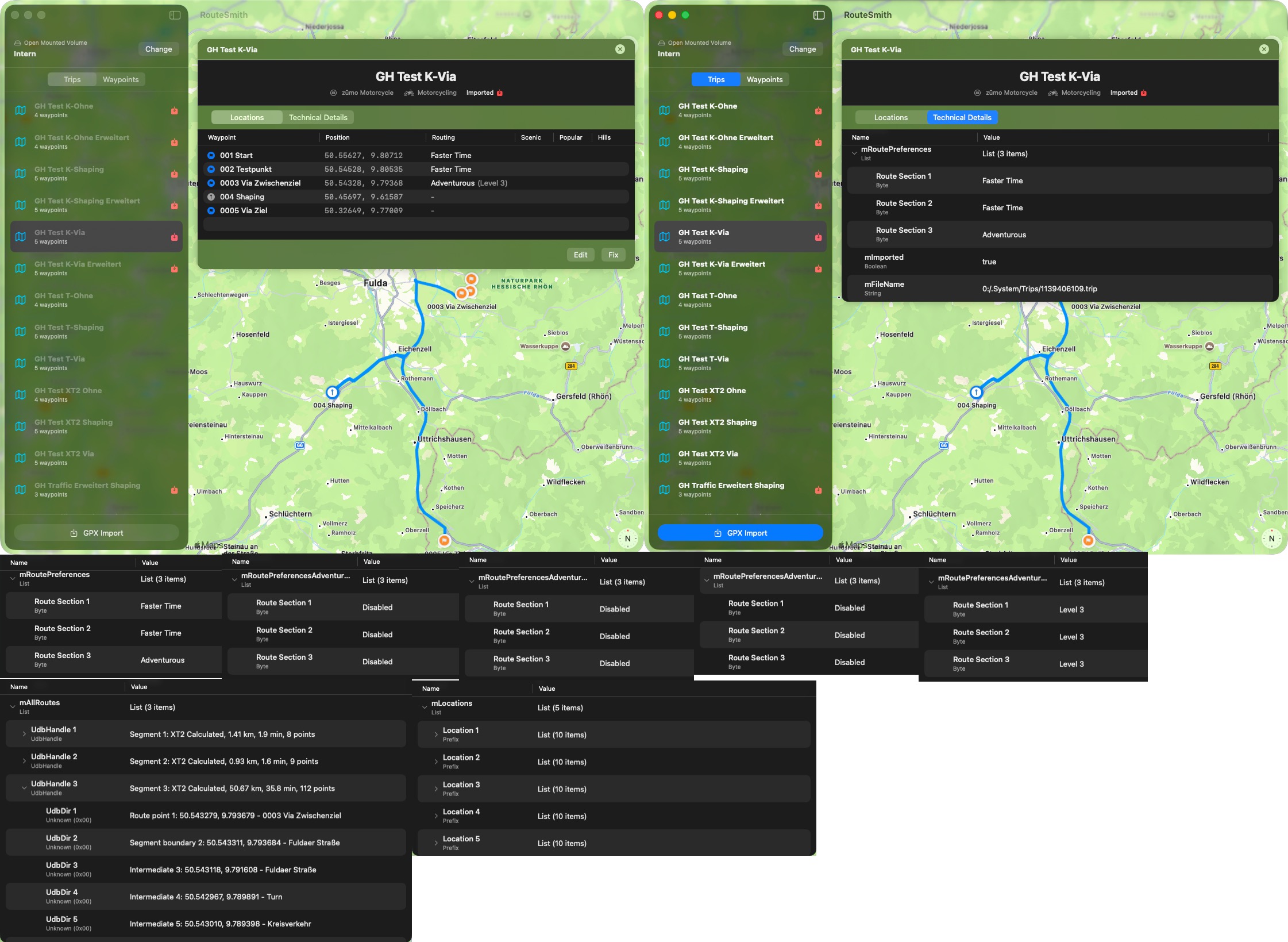
What I find especially strange is that I’m seeing two different routing behaviors within a single route segment, even though only one Adventurous level can be selected for that segment.
Can anyone here confirm this behavior?
Is this a known bug that I might have missed?





 ?
?


