@Lanso
I dont have an XT2, so I'm not able to tell you wich files should be there. But I can give you some guidelines.
First, and most important: Before you delete files, make a backup.Copy them to your hard-drive!
2: In Windows explorer set your view to details. Then you can see the dates. The date could tell you if you've done it yourself.
3: If a file exist with a
.unl, or
.gma extension, dont delete the files with the same base name. 006-D0697-00.gma, 006-D0697-00.gpi and 006-D0697-00.unl belong together and are locked files.
4: If you have custom pois installed. Look on the the device for: Where to/Categories/Custom POIs (scroll all the way down) If there are none: OK, if there are: You know where to look for.
You mentioned TripManager...
In TripManager browse to the folder. When selecting a file gives you this error, dont delete it. They are probably from Garmin.
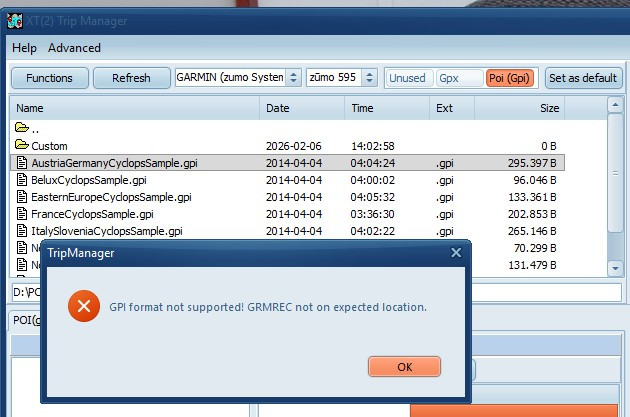
- TM.jpg (82.78 KiB) Viewed 300 times
If TripManager CAN read the file, you can see what's in there, and if not needed anymore delete it via Functions/Delete selected files
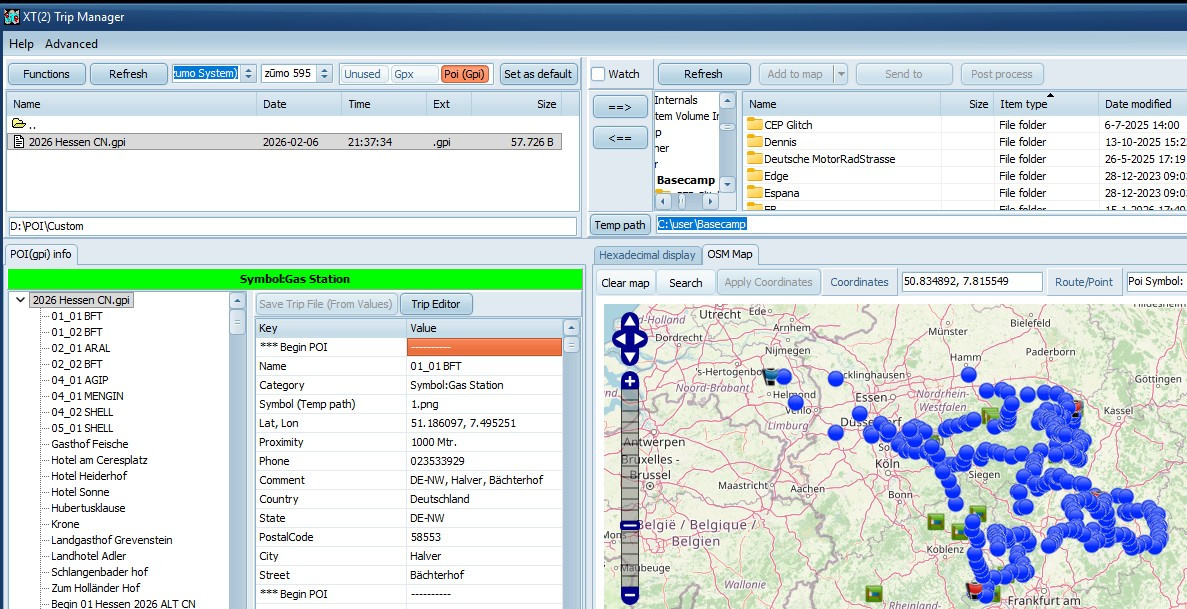
- TM_OK.jpg (279.63 KiB) Viewed 300 times
To prevent this confusion in the future, I recommend creating a new folder and set that as the default in TripManager. The new folder can be a) On the SD Card if you've installed one. b) A sub folder of the default POI folder (EG: Internal Storage\POI\Custom)
See the remark in this page:
https://frankbijnen.github.io/TripManag ... files.html
Frank


